weeb application
Retail Marketing Automation for Online Shopping
ROLE
UX Designer
EXPERTISE
UX/UI Design
YEAR
2024


From the chat page, the merchant should be able to access their product catalog, select single or multiple products and send it to their prospect customer.
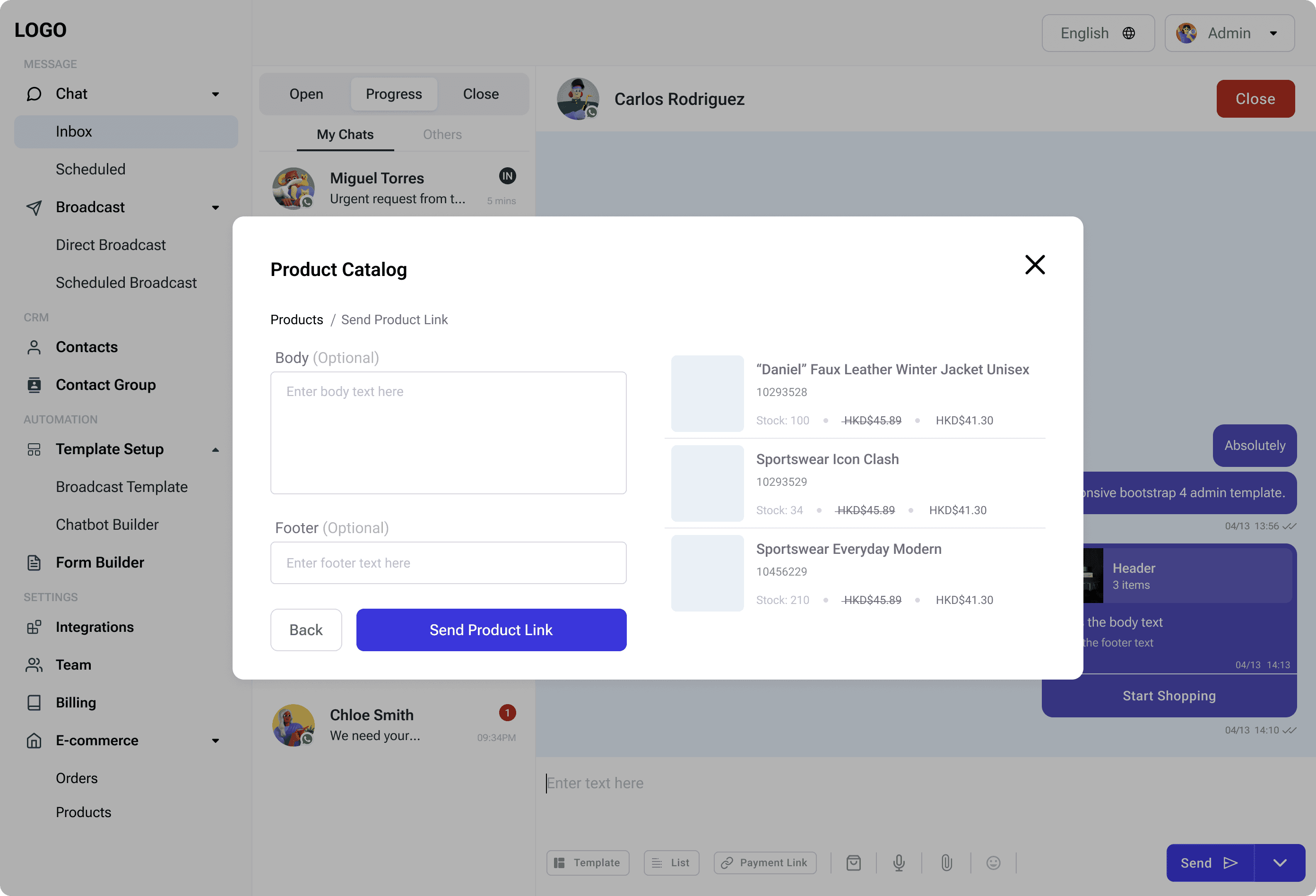
Before sending the product link/s, the merchant should be able to add a body text and footer text (optional) with the message.
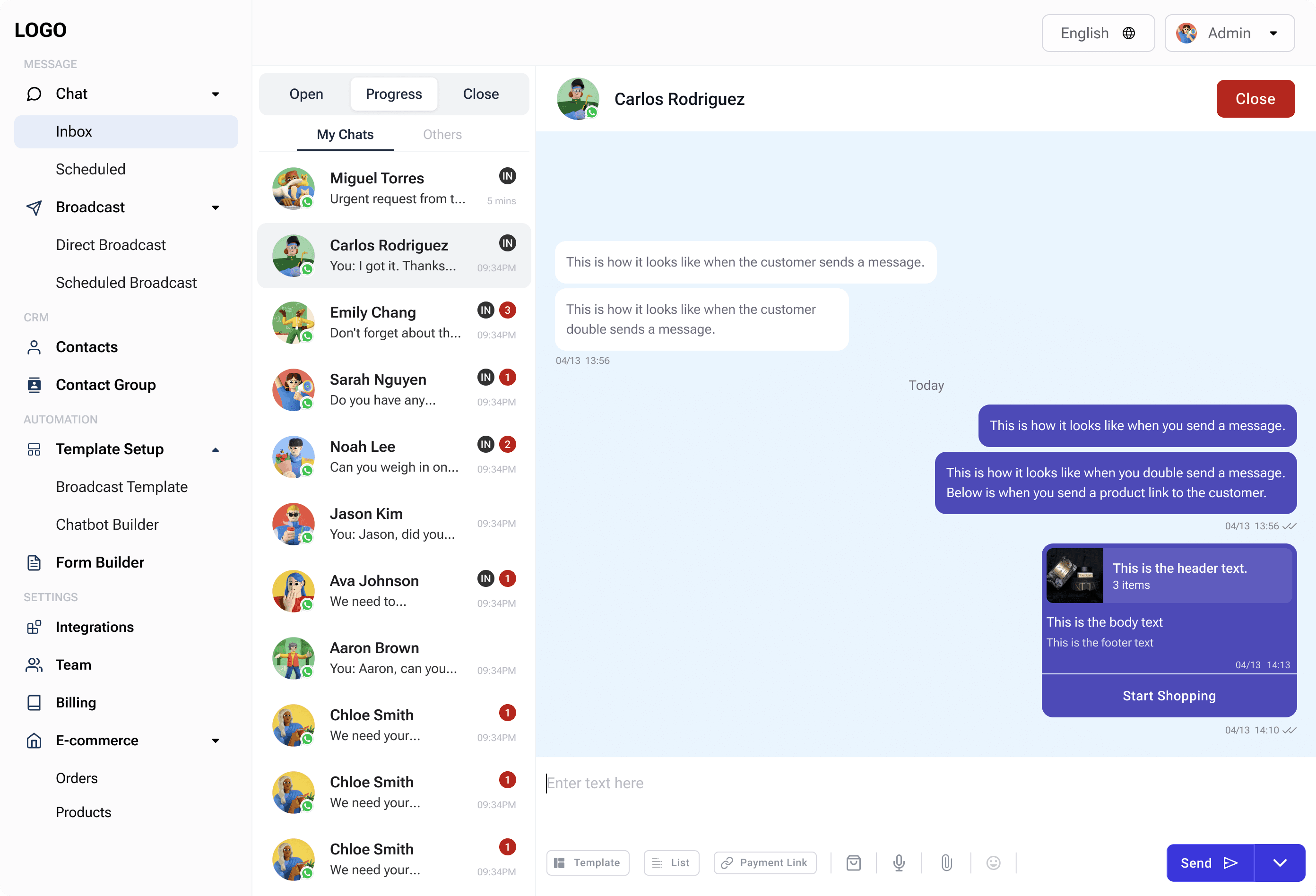
Once send, the customer should be able to click a ‘start shopping’ from the chat bubble from the merchant
Merchants need the ability to share their product catalog with customers directly from the chat page. This functionality should include the following:
Product Selection
Merchants should be able to access their product catalog from the chat interface, select one or multiple products, and prepare to share them with a prospective customer.
Customizable Message
Before sending the product link(s), merchants should have the option to add a body text and an optional footer text to the message.
Customer Interaction
Once the message is sent, customers should see the product links in the chat bubble along with a ‘Start Shopping’ button, allowing them to begin browsing or purchasing directly.
The goal was to streamline the process of sharing product links directly from the chat interface, enabling merchants to provide a seamless shopping experience for customers. The process included the following steps:
Problem Identification
Merchants lacked a simple and intuitive way to share their product catalog with prospective customers during chat interactions.
Requirement Gathering
Key features were identified, including accessing the product catalog, selecting products, customizing messages, and enabling customers to start shopping directly from the chat.
Solution Design
Wireframes and prototypes were developed to test the usability and functionality of the proposed solution. Iterative feedback loops ensured that the design aligned with merchant and customer needs.
Implementation and Testing
he final design was implemented, and comprehensive testing was conducted to ensure smooth functionality across all use cases.
To address the identified problem, the following features were introduced:
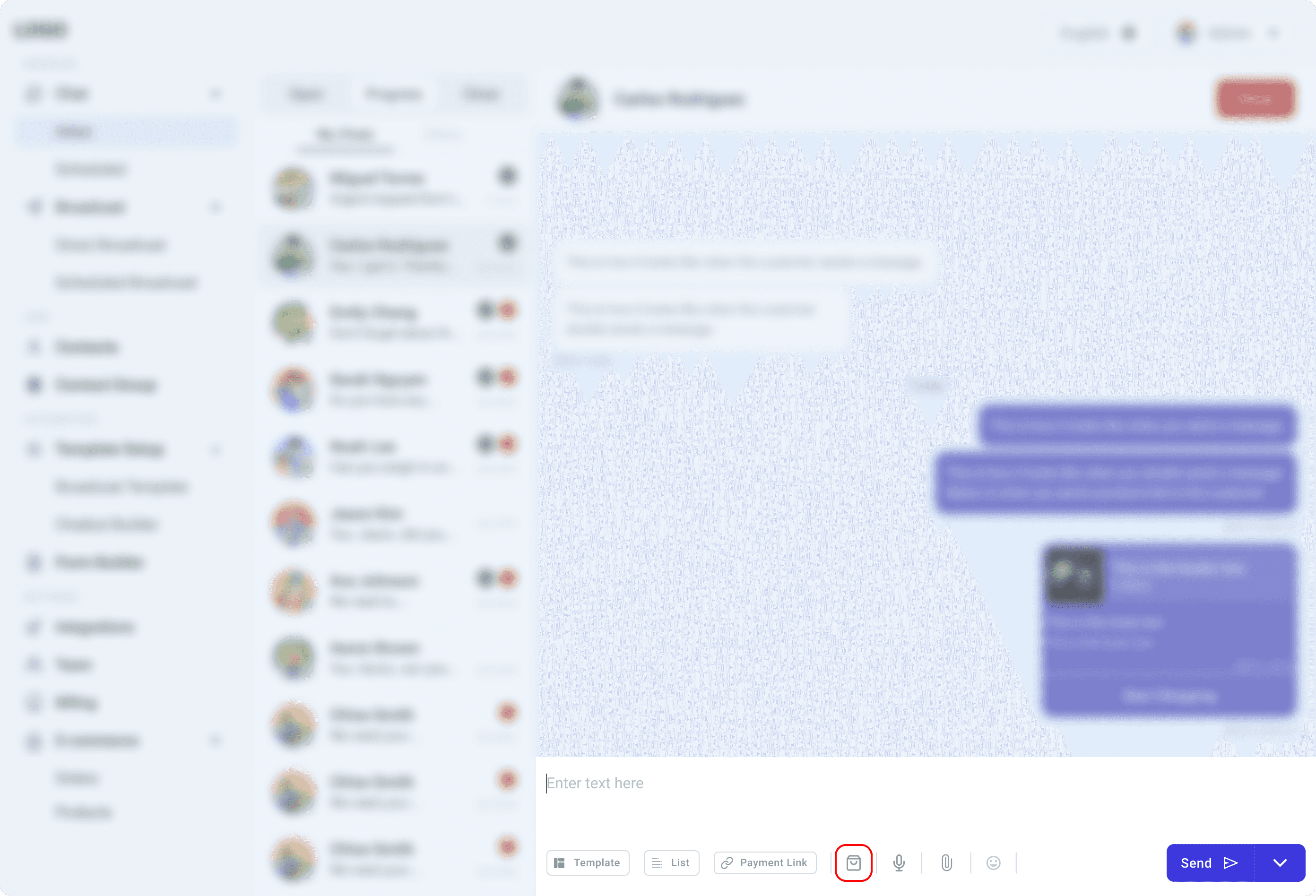
Product Catalog Button
A "Product Catalog" button was added to the chat interface, enabling merchants to access their product catalog easily.
Search and Select
From the product catalog modal, merchants can search for products by product name or SKU code and select multiple items using checkboxes for efficiency.
Customizable Messaging
Merchants can optionally add body text and footer text via text fields located on the left side of the modal.
A real-time preview pane on the right side of the modal displays the selected products and text, allowing merchants to review the message before sending.
Customer Interaction
A "Start Shopping" button was added below the chat bubble containing the product links. Customers can click this button to initiate their shopping journey directly from the chat interface.